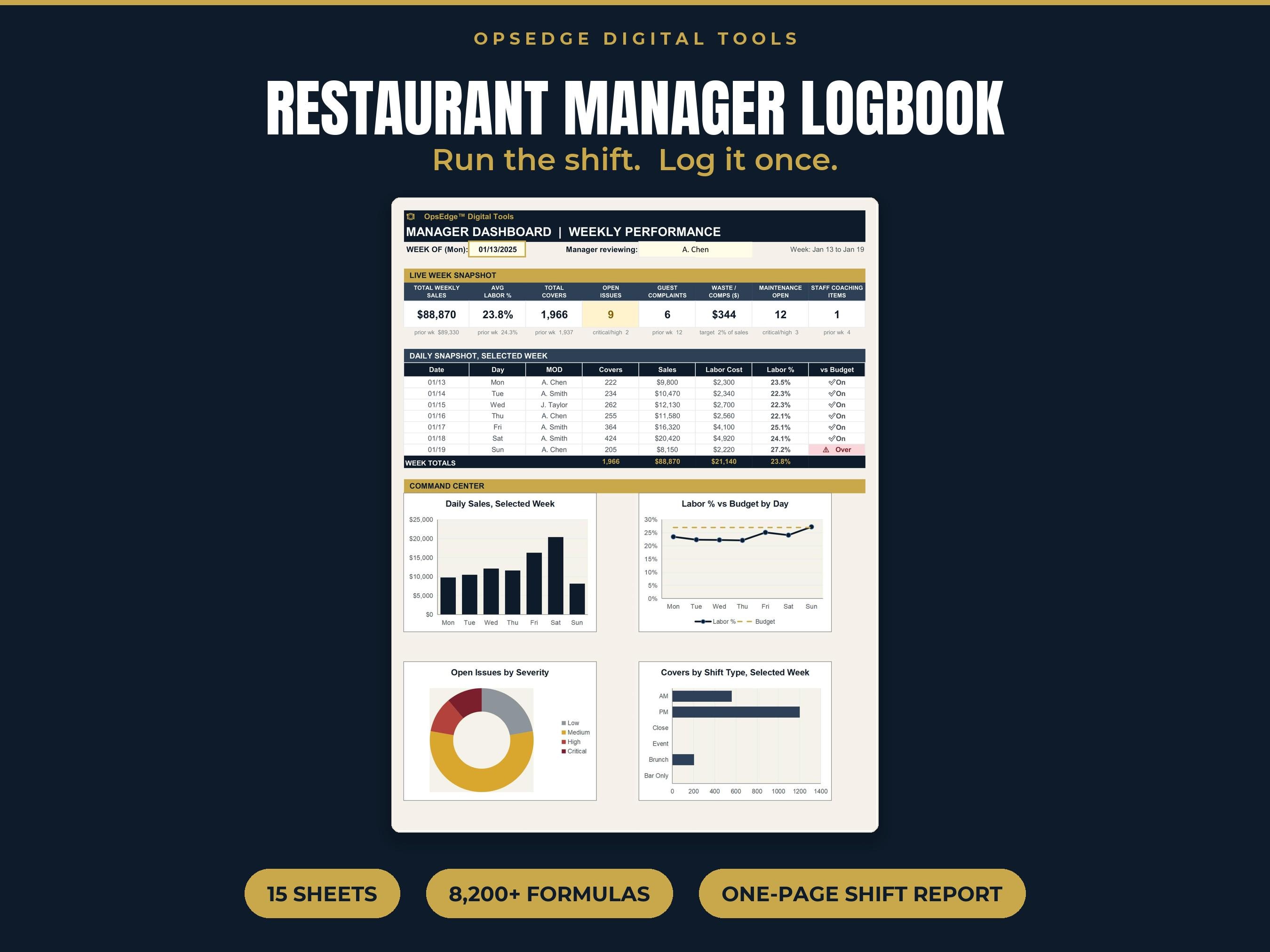
The shift written down the same way every night: sales, labor, issues and handover notes, so the next manager walks in knowing what happened.
The shift written down the same way every night, so the next manager walks in knowing what happened, what broke and who called out.
Restaurants and bars with more than one manager, where handoffs get lost between shifts.
Excel and Google Sheets with two weeks of examples loaded. Fill in one line per shift at close.

One of the sample entries: at 3:40 in the afternoon the dish machine stops reaching rinse temperature. The manager marks it high severity, writes down that the team switched to the three compartment sink and called for service, and assigns the follow up. The entry stays on the dashboard as an open issue until someone closes it, and the repair itself is tracked as a work order with its cost. The manager who opens the next morning reads all of that in a minute.
Pick this one if several managers share a building and you want one record they all write in. If you want paper, the Shift Notes Manager's Log Notebook is the printed version. If the manager is new, pair it with the Restaurant Manager 90 Day Plan. Our manager log guide explains what to write and what to leave out.
Does it work for more than one outlet?
Yes. Every entry carries an outlet, and the dashboard shows labor percent for each one.
How long does it take each shift?
A few minutes at close. One line on the Daily Log, plus an entry for anything that broke, anyone you coached or any guest you had to recover.
Can I change the dropdown lists?
Yes. Outlets, shifts, issue types and the labor budget all live on the Settings tab.
Do I have to delete the sample entries?
Yes, once you have seen how each tab works. They are there to show you what a good entry looks like.
How do I get the file?
Checkout is through our Etsy shop and the files are ready to download right after purchase.
A few of the most used tools in the OpsEdge catalog.